Mini Desktop Single Pass Printer

Mini Desktop Single Pass Printer for Small-Format Packaging


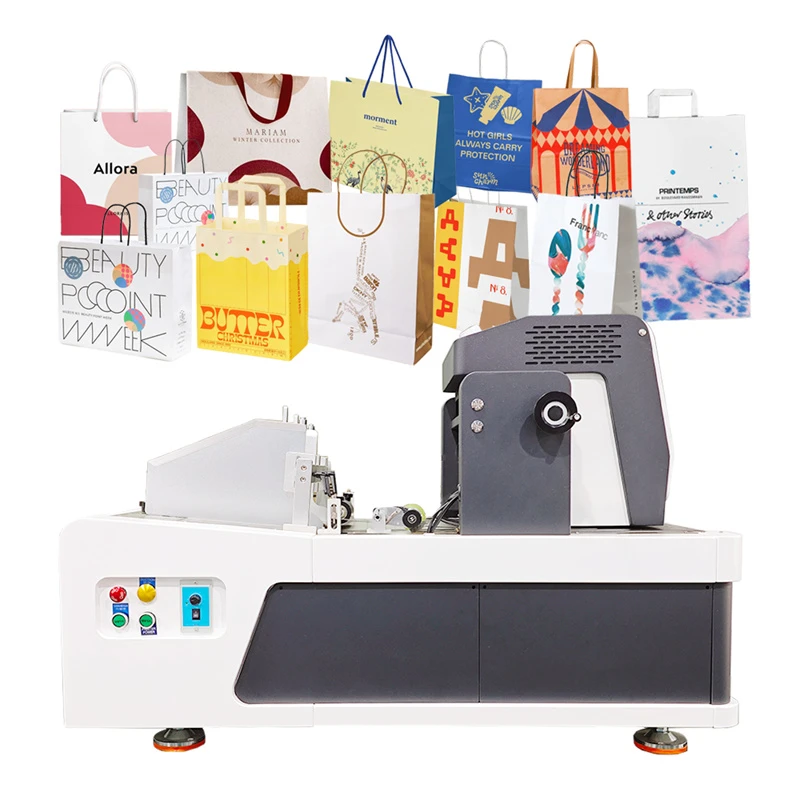
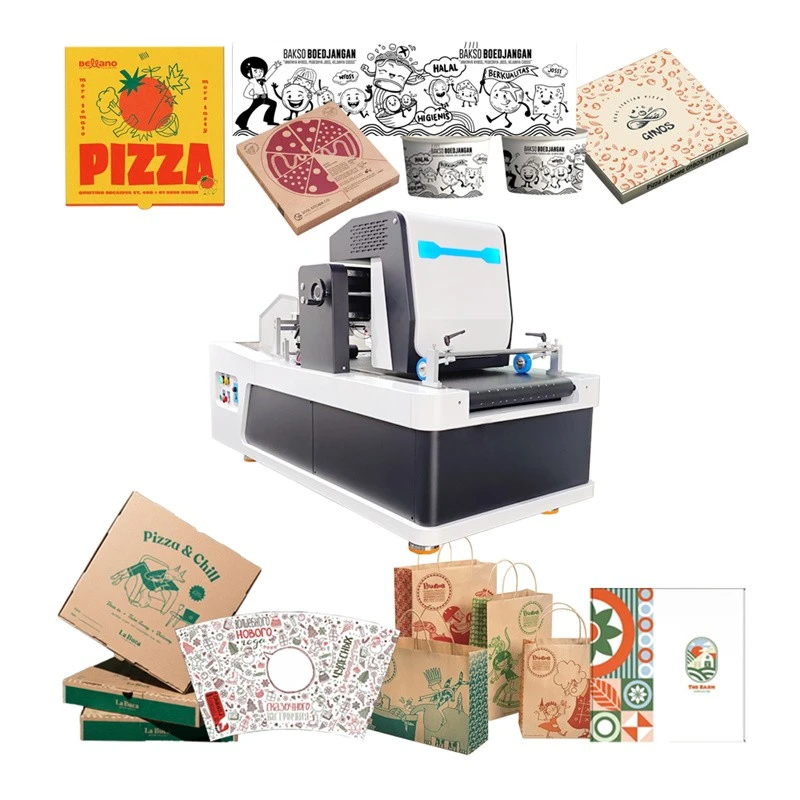
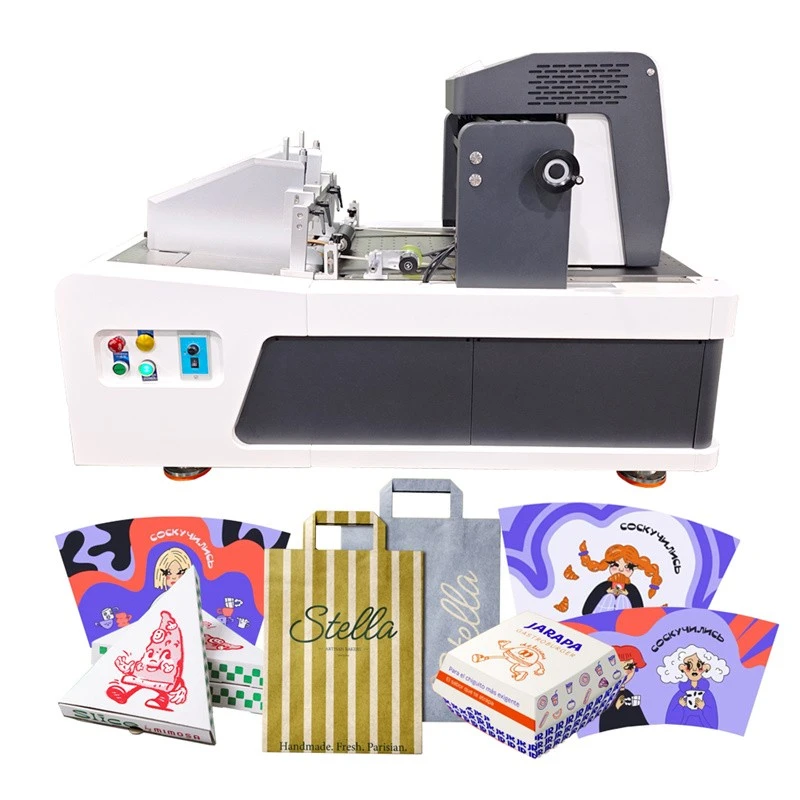
Kelier Mini Desktop Single Pass Printers provide compact digital inkjet printing solutions for packaging workshops, printing businesses, and manufacturers handling small-format paper products. The product range includes desktop printing equipment for cartons, paper bags, packaging components, and paper cup fans, with different configurations available for specific printing applications.


Designed around direct digital printing, these machines offer an alternative to conventional plate-based printing workflows for selected packaging jobs. Buyers can evaluate the range according to substrate requirements, artwork dimensions, order characteristics, and available workshop space.


Mini Desktop Single Pass Printer Applications


Small Digital Printing Machine

Packaging Samples and Small Cartons

Digital printing is useful for packaging businesses that need to prepare samples or handle orders involving frequent design changes.
Packaging prototypes: Print carton graphics for design evaluation, customer approval, and packaging development.
Short-run cartons: Evaluate desktop printing for selected small-batch carton and cardboard packaging jobs.
Customized packaging: Handle orders with changing artwork without preparing conventional printing plates for each design.

Kraft Paper Bag Printer suppliers

Paper Bags and Flat Packaging Components

Kelier's desktop printing range includes equipment intended for paper bag and related packaging applications.
Paper bag printing: Apply logos, branding, and promotional graphics to compatible paper bag materials.
Packaging panels: Print flat paper components before folding, cutting, or other finishing operations.
Paper cup fans: Evaluate printing on flat cup fan materials before forming, subject to material and equipment compatibility.

Takeaway Box Printing Machine

Customized Printing and Artwork Changes

Digital printing provides flexibility for businesses managing multiple designs or customer-specific packaging requirements.
Different artwork versions: Prepare graphics for separate packaging designs or customer orders.
Small customized batches: Evaluate digital printing for jobs involving limited quantities and changing artwork.
Design updates: Revise graphics between printing jobs without conventional plate replacement.


Desktop Single Pass Printing for Compact Production Workspaces
 

Mini Desktop Single Pass Printers are relevant to businesses that need digital printing capabilities within a smaller production area.

Compact equipment arrangement

Consider desktop printing when workshop space, equipment placement, and operator access are important selection factors.

Packaging development

Use desktop printing as a potential option for sample preparation and selected customized packaging jobs.

Existing production workflows

Evaluate how printed materials move from printing to cutting, folding, forming, or packaging.

The suitability of a desktop printer depends on the required output, material handling method, and production volume rather than equipment size alone.


Kraft Paper Bag Printer factory


Digital Printing Workflow and Artwork Preparation

Preparing artwork and materials correctly is important for packaging components that require defined graphic placement.


Artwork dimensions: Match graphic dimensions with the substrate and intended print area.


Print positioning: Account for material size, feeding direction, logos, and other elements that require specific placement.


Job preparation: Organize artwork files according to the printing task and required output.


Downstream processing: Check printed graphics against cutting lines, folding areas, or forming requirements.


Kelier's desktop printer product pages list support for common image formats such as BMP, JPG, PDF, and TIFF on specified models. Buyers should confirm supported formats and software functions for the selected configuration.


Material Compatibility for Mini Desktop Printing

Kelier's product range includes desktop printers listed for paper packaging, cardboard, paper bags, and paper cup fan applications. Actual material suitability depends on the equipment configuration and substrate characteristics.


Kraft paper: Check surface properties, paper flatness, and ink absorption when printing logos or packaging graphics.


Cardboard and paperboard: Evaluate material rigidity, thickness, and handling stability during printing.


Coated paper: Confirm ink compatibility and the required print appearance on coated surfaces.


Paper cup fans: Verify substrate dimensions, material characteristics, and graphic placement before printing.


Other paper-based components: Assess each application using representative material samples rather than relying on material names alone.


Material dimensions, thickness limits, ink compatibility, and print quality should be confirmed for the selected printer model.

Takeaway Box Printing Machine best


Selecting a Mini Desktop Single Pass Printer
 

Choosing a suitable printer begins with understanding the actual packaging application and production requirements.

01/

Printing application: Identify whether the main requirement is carton printing, paper bag graphics, packaging samples, or another paper-based product.

02/

Artwork dimensions: Provide the size of the printed area and the dimensions of the substrate.

03/

Material specifications: Share material type, thickness, surface treatment, and feeding requirements.

04/

Order profile: Explain typical order quantities, artwork variations, and production frequency.

05/

Workshop conditions: Consider equipment placement, material loading, output collection, and operator access.

06/

Finishing requirements: Identify cutting, folding, forming, or other processes after printing.

These details help determine which desktop printer configuration is appropriate for the intended application.


Mini Desktop Single Pass Printer Manufacturer
 

Chengdu Kelier Electronic Co., Ltd. was established in 2011 and has a registered capital of RMB 13 million, according to the company's published information. Kelier identifies digital printer R&D, inkjet printing equipment, application software development, and printing-related solutions among its business activities.

Takeaway Box Printing Machine factory

Digital printing development: The company lists digital printer R&D and application software development as part of its technical capabilities.


Equipment customization: Kelier offers OEM/ODM services, with published capabilities including printhead configuration, ink system tuning, software customization, and mold design.


International distribution: Kelier reports more than 200 distributors across around 30 countries on its homepage.


Export experience: The company's About Us page states that its products are exported to more than 50 countries.


These figures describe company-level experience and capabilities. Buyers should evaluate individual printer configurations according to their application requirements and product-level information.


OEM/ODM Services for Printing Applications


Kelier provides OEM/ODM services for businesses with specific equipment or application requirements.

Printing configuration

Discuss printhead and ink system requirements according to the intended substrate and printing task.

Software customization

Evaluate software requirements related to artwork preparation and printing workflows.

Equipment design

Review possible design or structural customization based on project requirements.

Customization scope and technical feasibility should be confirmed with Kelier before placing an order.


FAQs


Q: What applications are Mini Desktop Single Pass Printers suitable for?

A: The product range includes desktop printing solutions for selected packaging applications such as cartons, paper bags, paper cup fans, and other flat paper-based components. Suitability depends on the specific printer configuration and material requirements.

Q: What materials can a Mini Desktop Single Pass Printer handle?

A: Kelier lists paper packaging, cardboard, paper bags, and paper cup fan applications across its desktop printer range. Buyers should confirm substrate dimensions, thickness, surface characteristics, and ink compatibility for the selected model.

Q: Are these printers suitable for packaging samples and short-run orders?

A: Desktop digital printing can be considered for packaging development, customized artwork, and selected short-run jobs. Buyers should assess the required print quality, material handling, and production capacity before selecting equipment.

Q: What file formats are supported?

A: Kelier product pages list BMP, JPG, PDF, and TIFF formats for specified desktop printer models. Supported formats and software functions should be verified for the chosen configuration.

Q: How do I select the appropriate desktop printer?

A: Provide the intended application, substrate dimensions, material specifications, artwork files, expected order quantities, and workshop requirements. These details help Kelier assess which configuration may fit the printing task.

Q: Can Kelier customize desktop printing equipment?

A: Kelier lists OEM/ODM services covering areas such as printhead configuration, ink system tuning, software customization, and mold design. The available customization options depend on the project and equipment configuration.

Q: Can the printer be integrated into an existing packaging workflow?

A: Integration depends on the feeding and output arrangement, available workshop space, and downstream processing equipment. Buyers should discuss their existing workflow and material handling requirements before confirming equipment selection.

With abundant experience, we are one of the most reliable mini desktop single pass printer manufacturers and suppliers in China. Please feel free to buy durable mini desktop single pass printer made in China here from our factory. Welcome to contact us for customized service.

Desktop Inkjet Printer Machine, mini desktop single pass printer, Takeaway Box Printing Machine

(0/10)

clearall